How To Virus and Malware Scan for Amazon S3 and Cloudflare R2 2026
How to add a layer of virus and malware protection to Amazon S3 or Cloudflare R2? Deploy bucketAV to your AWS account and start scanning your objects for viruses, trojans, ransomware and other kinds of malware. Learn more about our solution in the following blog post.

User Uploads - Protect S3 and R2 From Viruses and Malware
Do your applications allow users to upload files like profile pictures, documents (PDF, Word, Excel, …) or other user-generated content?
How do you protect from users uploading malicious files, be it accidentally or with bad intentions?
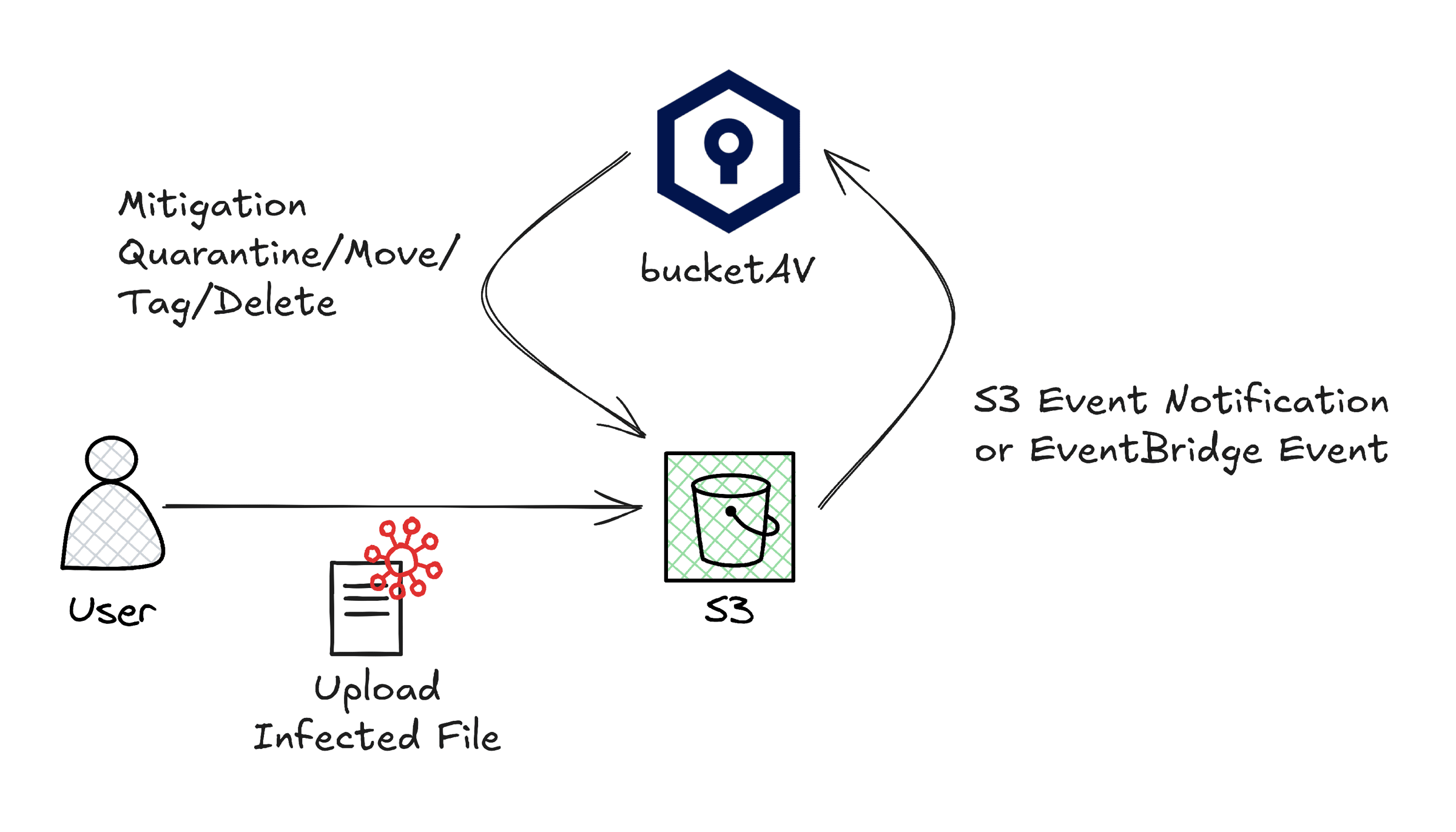
bucketAV enables you to scan uploaded files immediately. An S3 Event Notification or EventBridge Event triggers bucketAV after an object was stored. Then bucketAV scans the file for viruses, trojans, and other kinds of malware. In case bucketAV detects a malicious file, mitigation actions like quarantine, move, tag, and delete ensure that users or downstream processes cannot to access the infected file.
More than 1,000 customers are using bucketAV to protect Amazon S3 and Cloudflare R2 from malware. For many of those customers, protecting from malicious user uploads is the main use case.
Initial and Scheduled Scan - Scan All Existing S3 and R2 Objects
Scanning files immediately after they have been uploaded to Amazon S3 and Cloudflare R2 is an important scan mode supported by bucketAV.
However, it is necessary to be able to scan through all existing objects stored in a bucket as well.
- Initial scan after setting up bucketAV - Ensure that all files that have been uploaded before activating malware protection are getting scanned as well
- Re-scan all objects with latest detection capabilities - The antivirus engines ClamAV and Sophos are getting better at detecting viruses and other kinds of malware. Therefore, re-scanning all objects based on a schedule (e.g., monthly) increases the detection rate.
bucketAV supports full scans of buckets triggered by a schedule or on-demand.
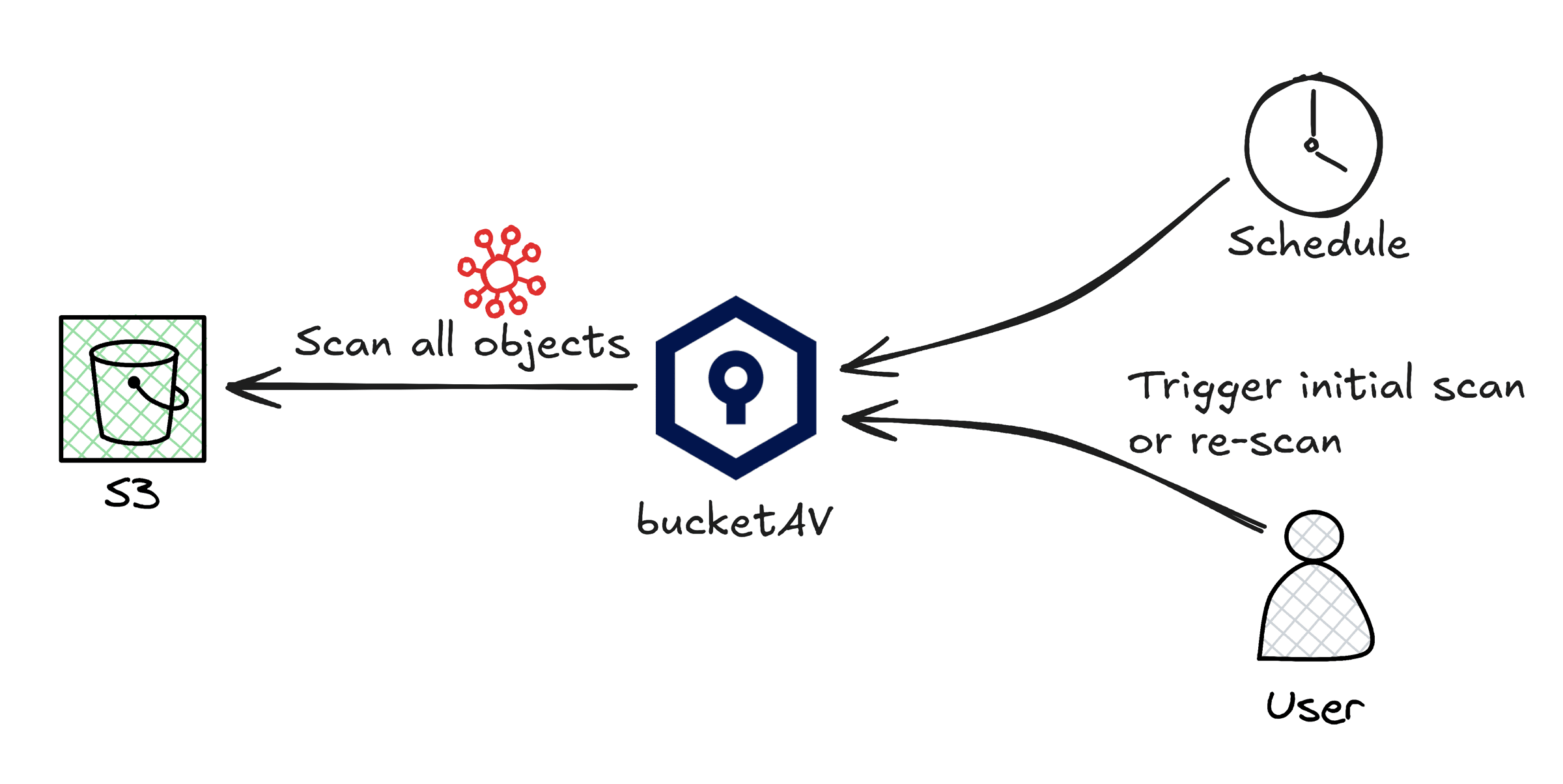
In summary, bucketAV supports the following scan modes:
- Real-time file scan
- Scheduled bucket scan
- On-demand bucket scan
- On-demand file scan
- On-access file scan
Get Notified About Infected S3 or R2 Objects
What to do in case bucketAV detects an infected file? Besides automated mitigations like quarantine, move, or delete, bucketAV provides the following reporting capabilities.
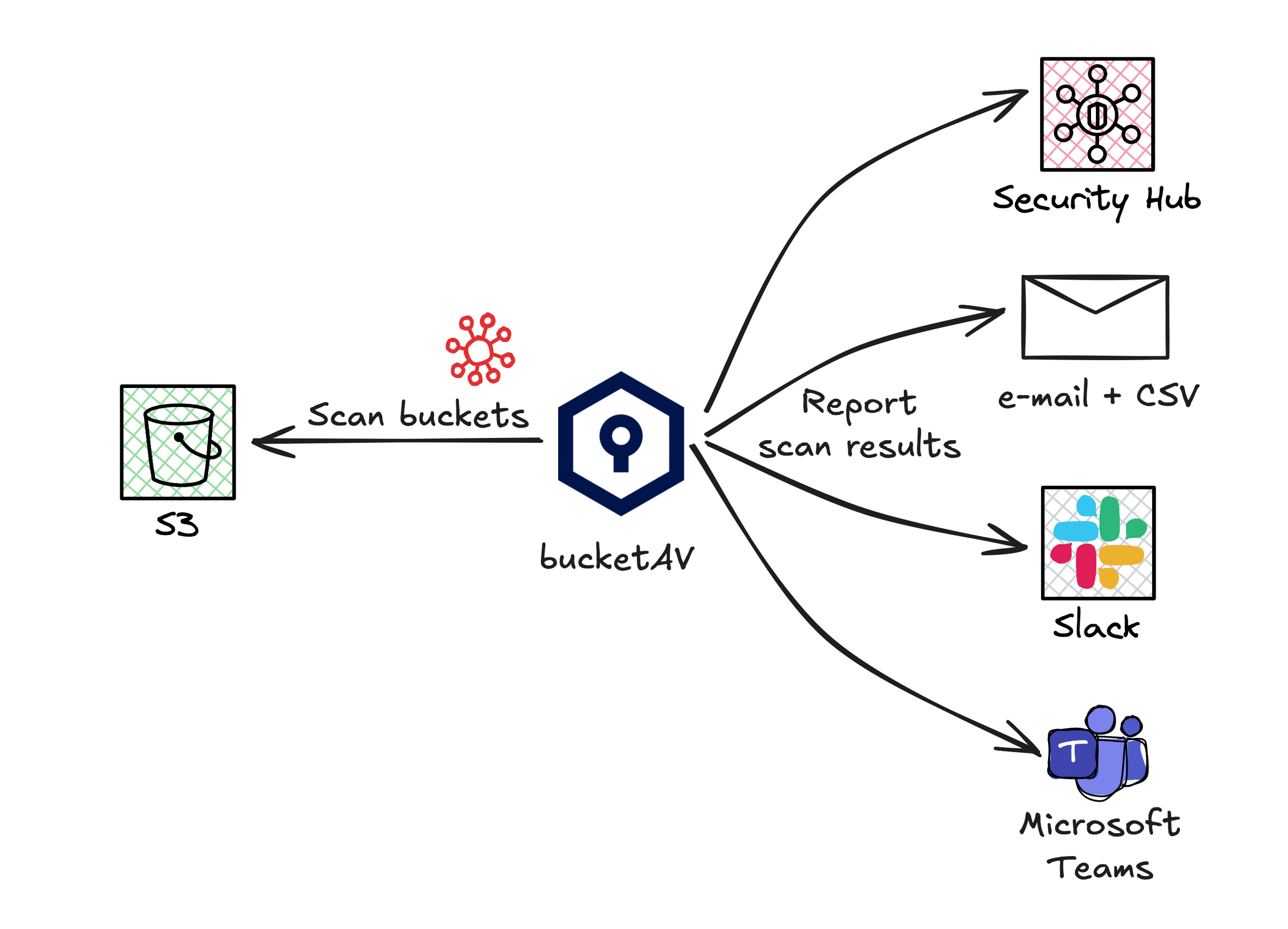
- Daily/Weekly/Monthly report via e-mail including CSV files
- AWS Security Hub
- Slack and Microsoft Teams
On top of that, bucketAV comes with realtime notifications via email, OpsCenter integration, as well as a CloudWatch dashboard.
Trusted by 1,000+ Customers
More than 1,000 customers are using bucketAV to protect their Amazon S3 and Cloudflare R2 buckets from viruses, trojans, ransomware, and other kinds of malware.
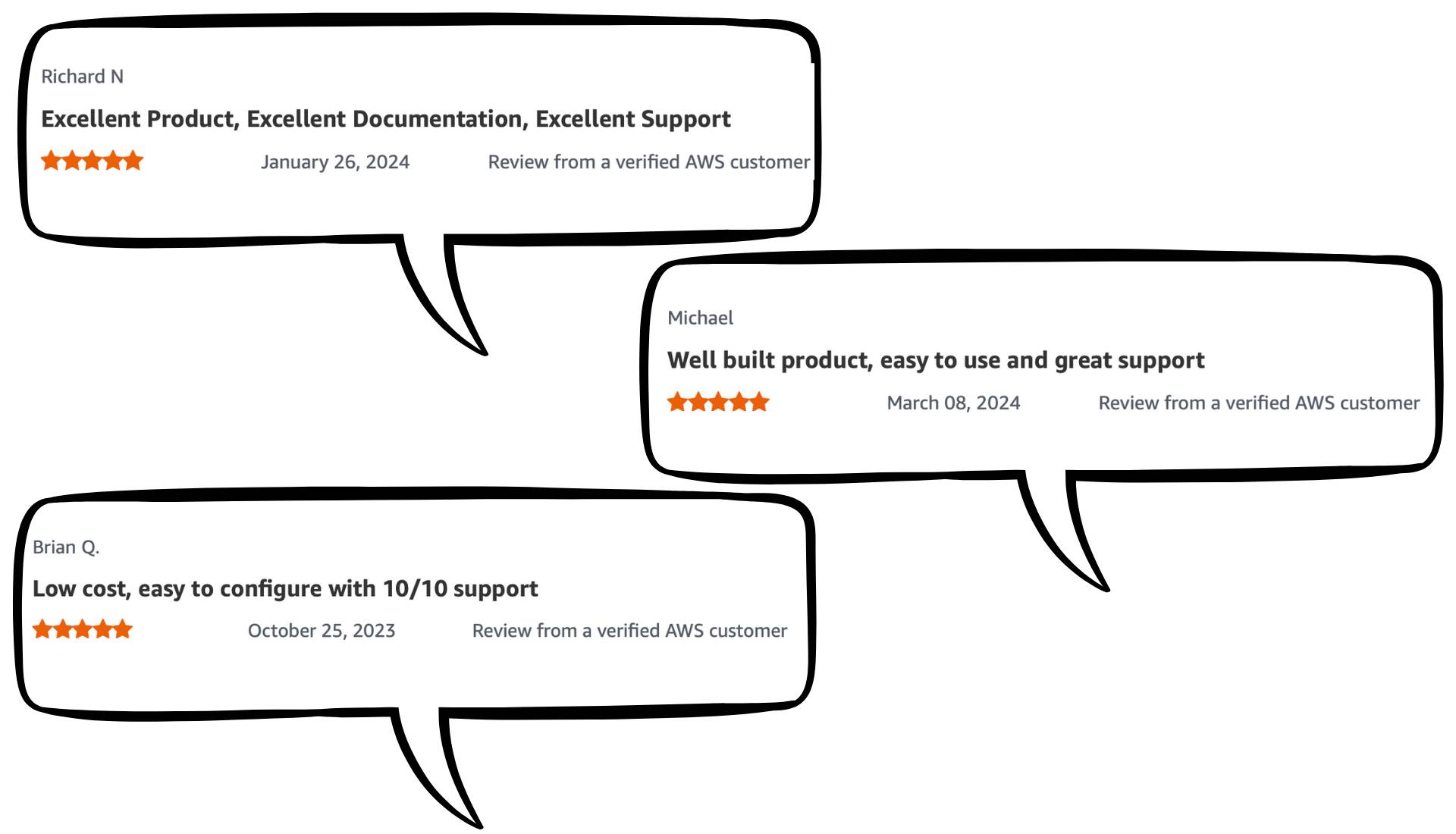
We are proud that customers rate us with five stars.
Check out the AWS Marketplace listings to read through the reviews yourself.
Getting started
Deploy bucketAV to your AWS account and start protecting Amazon S3 or Cloudfalre R2 from viruses, trojans, ransomware, and other kinds of malware today. Get started by following our detailed setup guide.
Published on July 23, 2026 | Written by Andreas